


AI Photo Studio & Hair Styler
3.5807.00 Reviews
App Specs
- Version
- 2.0.0.2
- Updated On
- License
- Free
- Downloads
- 1,000,000+
- Developer
- SPARK DYNAMICS YAZILIM HIZMETLERI LIMITED SIRKETI
- Categories
- Photography
- Platform
- Android
Screenshots
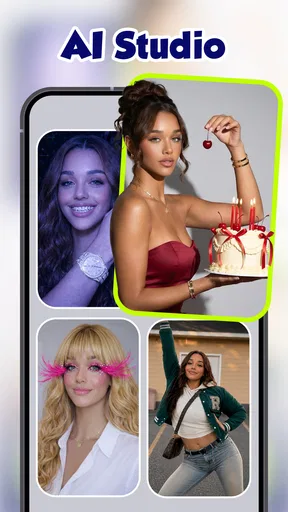
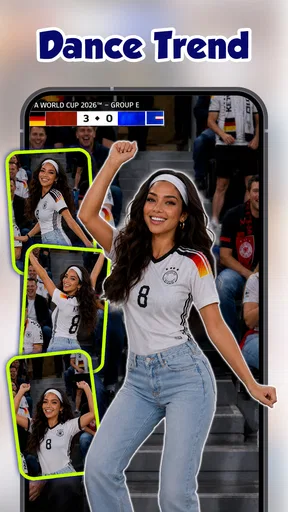
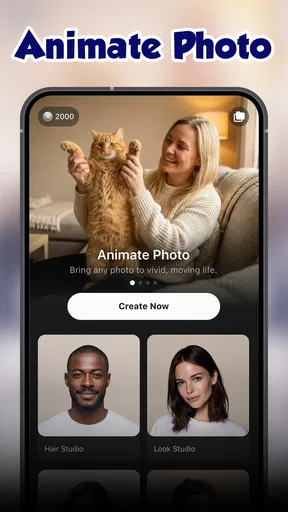
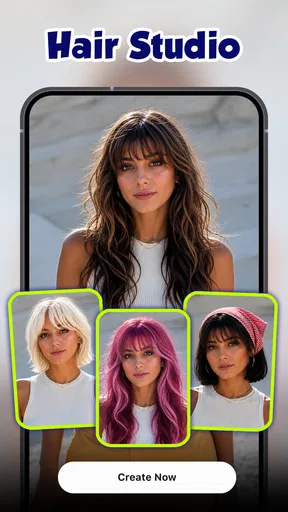
 Analysis by AppCompare
I usually reach for a hairstyle preview when I’m curious about a change but not ready to ask a stylist to cut first and discuss later. A selfie-based try-on can help me compare ideas while the decision is still reversible. Hair AI: AI Hairstyle, Haircut is built for that kind of early-stage experimenting: it turns a photo into a place to test looks, rather than a substitute for a real consultation.
Start with the decision, not the trend
The most useful way to approach this photography app is to begin with a specific question. Am I wondering whether shorter hair would suit me? Do I want to compare a warmer shade with my current color? If I open it with no idea what I want, it is easy to keep cycling through looks without learning much. A small shortlist—perhaps a cut I have saved and one more adventurous option—makes the time spent browsing more meaningful.
That distinction matters because a digital preview shows an image, not the full experience of a haircut. It can help me notice whether I like the outline around my face or the general impression of a color. It cannot tell me how a style will behave after washing, how much daily styling it takes, or whether my hair texture will fall the same way. I treat the result as a conversation starter, not a promise.
Trying on Styles: The Virtual Salon Experience
Once I downloaded the app and installed it, I was immediately intrigued by its sleek interface. Navigating through Hair AI: AI Hairstyle, Haircut felt like a breeze. The app offers a wide array of hairstyles, catering to all tastes and preferences. Whether you’re into classic cuts or daring colors, there’s something for everyone here.
For a useful first pass, I would choose a clear, front-facing photo with the hairline visible and a reasonably simple background. That gives a visual tool a better chance of presenting a convincing comparison than a picture where the face is turned, partly covered, or caught in strong shadows. I would also keep the expression and camera angle consistent while comparing styles; otherwise, a change in pose can make one option seem more flattering for reasons unrelated to the hair.
What’s truly mind-blowing is how realistic the virtual try-ons are. You simply upload a selfie, and voilà, the app works its magic. I tried on everything from a pixie cut to luscious waves. The AI technology is pretty spot on, making it easy to visualize how each style would actually look on you.
Even when a preview looks polished, I recommend checking the edges around the temples, ears, and neck before drawing conclusions. These are the spots where a simulated cut can look less natural, especially if the original photo has hair falling across the face. A style that looks appealing at thumbnail size may feel quite different when I inspect how it frames my features. That quick closer look is a practical way to avoid falling for a flattering overall impression while missing an awkward detail.
Worth Reading Before You Choose

Baby Panda World Brings Quick Play to Modern Phones, but Its Game Library Feels Busy

ESPN’s Live Game View Makes Following Close Games Easier

QuizzLand Review: A Good Fit for Short Trivia Breaks, Not Every Player

Basketball Stars: Multiplayer Is Fast, but Can It Recover When Matches Go Wrong?

WEBTOON Turns Phone Updates Into a Better Reading Routine

Link to Windows Runs on Shared Habits, Not Social Feeds
Customization is Key
One of the things I really appreciated was the level of customization available. The app doesn’t just stop at hairstyles. You can tweak colors, lengths, and even add accessories. Want to see how you’d look with a blue ombre? Just a couple of taps, and you’re there. It’s like playing dress-up but for your hair.
I get more value from changing one element at a time. If I test a new length, a vivid color, and an accessory all together, I cannot tell which part of the combination works for me. I would first compare a few lengths in a familiar shade, then revisit the strongest candidate with color variations. This simple sequence turns a playful session into a clearer decision tool, and it makes it easier to explain what I like later.
For anyone who’s ever been stuck in a hair rut, this feature is a total game-changer. It gives you the freedom to experiment without the commitment of actually making a drastic change.
From a preview to a real appointment
A realistic everyday use is getting ready for a salon visit after work, with only a few minutes to settle on what to ask for. I would try a familiar, low-risk option alongside one larger change, save or show the strongest image if the app’s sharing route suits me, and note the parts I want the stylist to interpret: the length around the face, the overall silhouette, or the color direction. The photo gives us a visual reference, while the conversation covers details a preview cannot judge.
I would not ask a hairdresser to reproduce an image pixel for pixel. Lighting, existing color, hair density, texture, and styling all affect the result in real life. A better handoff is to say what the preview helped me discover—perhaps that I prefer a softer fringe or a shorter outline—then ask what version would work with my hair and routine. That keeps the app useful without letting an artificial image overrule professional judgment.
Sharing and Feedback
After I spent an embarrassingly long amount of time trying on different looks, I discovered the app’s social sharing feature. You can easily share your new look on social media or with friends to gather opinions. It’s a fun way to get feedback before making any real-world decisions.
For feedback that is actually helpful, I would share only a couple of contrasting options and ask a focused question, such as which shape looks more like me or which one seems easier to wear day to day. A large batch of nearly identical images can invite vague reactions rather than a useful comparison. I also would not treat friends’ preferences as a verdict: they may respond to a bold color because it is surprising, while I have to live with the upkeep.
I must admit, it was pretty entertaining to see my friends’ reactions to some of the more adventurous styles I tried. Plus, the app also offers a feedback feature where professional stylists can give you advice on your chosen look.
That professional input is most valuable when I give it context. A preview alone does not describe how much time I want to spend styling my hair, what I already have, or how dramatic a change I am willing to make. If I use any advice option, I would pair the selected image with a plain-language explanation of those priorities. The key trade-off is that an image can make a direction easier to discuss, but it does not remove the need to explain what is practical for me.
Where the preview can fall short
Hair try-on apps are not all used for the same purpose. A conventional photo editor is better when I want careful manual control over an image, while a salon consultation is better for advice grounded in my actual hair and maintenance needs. This app is most appealing in the middle: quick visual exploration before I decide whether a look deserves a real conversation. If I already know exactly what I want, a saved reference photo and a stylist may be more direct.
The biggest limitation is inherent to the format: the preview starts with a photograph and cannot fully represent movement, texture, or the work required to maintain a cut or color. Results can also be harder to judge when a selfie is dim, angled, or crowded by hair around the face. If a try-on looks odd, I would first retake the picture in even light and compare again before assuming the style itself is wrong. If the same mismatch remains, I would treat that as a reason to rely on a human consultation instead of forcing the app to settle the question.
There is also a difference between exploring for fun and planning a costly or high-maintenance change. For a playful experiment, an exaggerated color can be enjoyable on screen. For a real appointment, I would narrow the choice to something I would genuinely consider and ask about upkeep, suitability, and how close the result can come to the image. The app is less useful for anyone who expects a guaranteed preview or wants a complete hair-care plan rather than a visual try-on.
Who is likely to get the most from it?
I can see this being handy for someone who is undecided between a few broad directions, wants to make a salon conversation less abstract, or simply enjoys seeing a familiar face with a different look. It is also useful when a friend is considering a change and wants a quick way to compare ideas together. Someone who prefers a precise, technical consultation, needs advice about hair health, or wants to know exactly how a style will behave on their particular texture should skip relying on the preview alone.
The app is free to download and is rated for Everyone, so trying it does not require an upfront purchase. It has a 3.7 average from around 5,100 ratings, alongside about 732 written reviews, and has passed 500,000 installs. Those figures give a sense of its audience, but they do not tell me whether its particular results will suit my photo or expectations; I would judge that by a short, focused test rather than by popularity alone.
What to know before spending more time with it
The app is developed by SPARK DYNAMICS YAZILIM HIZMETLERI LIMITED SIRKETI. Version 1.0.2.2 is listed for Android 7.0 and newer, and optional in-app purchases range from $7.99 to $39.99 per item. I would explore the basic workflow first and decide whether the results are useful before considering any purchase. That is especially sensible if I only want to test one haircut idea rather than make hairstyle previews a regular hobby.
As with any photo-based tool, I would pause before choosing an image to upload or share. A personal selfie is different from a public reference picture, and sharing a preview with friends or social platforms is a separate choice from simply using it to compare styles. I would keep the workflow intentional: use a photo I am comfortable working with, avoid sharing a result just because the app makes it easy, and keep the final salon discussion grounded in what I actually want.
What’s in the Future?
As I explored further, I noticed that the developers are constantly updating the app with new styles and features. They seem to be very receptive to user feedback, which is always a good sign. It makes me hopeful for even more advanced features down the line. Perhaps more integration with hair care tips or even booking salon appointments directly through the app?
It’s exciting to think about how technology like this can continue to evolve. I mean, who wouldn’t love the idea of a fully integrated hair care and styling app?
Final Thoughts
Overall, Hair AI: AI Hairstyle, Haircut is a fantastic tool for anyone looking to experiment with their look. It’s user-friendly, versatile, and offers a fun way to explore new styles without any commitment. Whether you’re gearing up for a big change or just want to have some fun, this app is definitely worth a try.
So, if you’re contemplating a new look, why not give it a whirl? After all, hair is an expression of who we are, and with this app, the possibilities are virtually endless.
Pros
- Wide variety of hairstyle options.
- Realistic AI-generated hair previews.
- Easy to use interface for quick edits.
- Includes trending and classic styles.
- Supports various hair colors and textures.
Cons
- Limited free features available.
- Requires internet for full functionality.
- Occasional mismatches with face shape.
- Ads can be intrusive during use.
- High-resolution exports require purchase.
FAQs for AI Photo Studio & Hair Styler
What features does Hair AI: AI Hairstyle, Haircut offer?
Hair AI provides a range of features including virtual hairstyle try-ons, personalized haircut suggestions, and AI-driven hair color simulations. Users can upload their photos and experiment with different styles and colors before making a salon visit. The app also offers trending styles and customization options to suit individual preferences.
Is Hair AI: AI Hairstyle, Haircut easy to use for beginners?
Yes, Hair AI is designed with user-friendliness in mind. The intuitive interface allows users to easily navigate through the app. Step-by-step guides and tutorials are available to help beginners understand how to upload their photos and apply different hairstyles and colors for a seamless experience.
Does Hair AI: AI Hairstyle, Haircut require internet access to work?
While some features of Hair AI can be accessed offline, an internet connection is recommended to fully utilize the app. Online access ensures that users can download the latest hairstyles, receive personalized suggestions, and enjoy regular updates enhancing the app's functionality.
Can Hair AI: AI Hairstyle, Haircut accommodate various hair types and textures?
Yes, Hair AI is designed to accommodate a wide range of hair types and textures. The app includes options for straight, wavy, curly, and coily hair, allowing users to see how different hairstyles and colors will look on their specific hair type, ensuring realistic and personalized results.
Is Hair AI: AI Hairstyle, Haircut free to download and use?
Hair AI offers a free version with basic features for users to try out. However, for access to premium hairstyles, advanced AI features, and ad-free experience, a subscription or one-time purchase may be required. Pricing details are available on the app’s download page.


